Quick Answer: What Are the Steps to Make a Free WhatsApp Store?
You can create a free WhatsApp store in 5 steps: (1) register your shop name and WhatsApp number, (2) organize your product photos and prices, (3) publish your mobile catalog link with a cart button, (4) enable Direct UPI & Cash on Delivery, and (5) share your store link and QR code on WhatsApp Status, Google Business Profile, and shop bills.
Step-by-Step Guide: Create Your WhatsApp Store for Selling Products
- Step 1 — Start With Your Business WhatsApp Number: Use your existing shop WhatsApp number so regular customers recognize and trust your brand immediately.
- Step 2 — Prepare Your Top 20–50 Best-Selling Products: Don’t wait to photograph 1,000 items. Start with your fastest-moving products, clear MRP/selling prices, and basic variants (size, weight, pack).
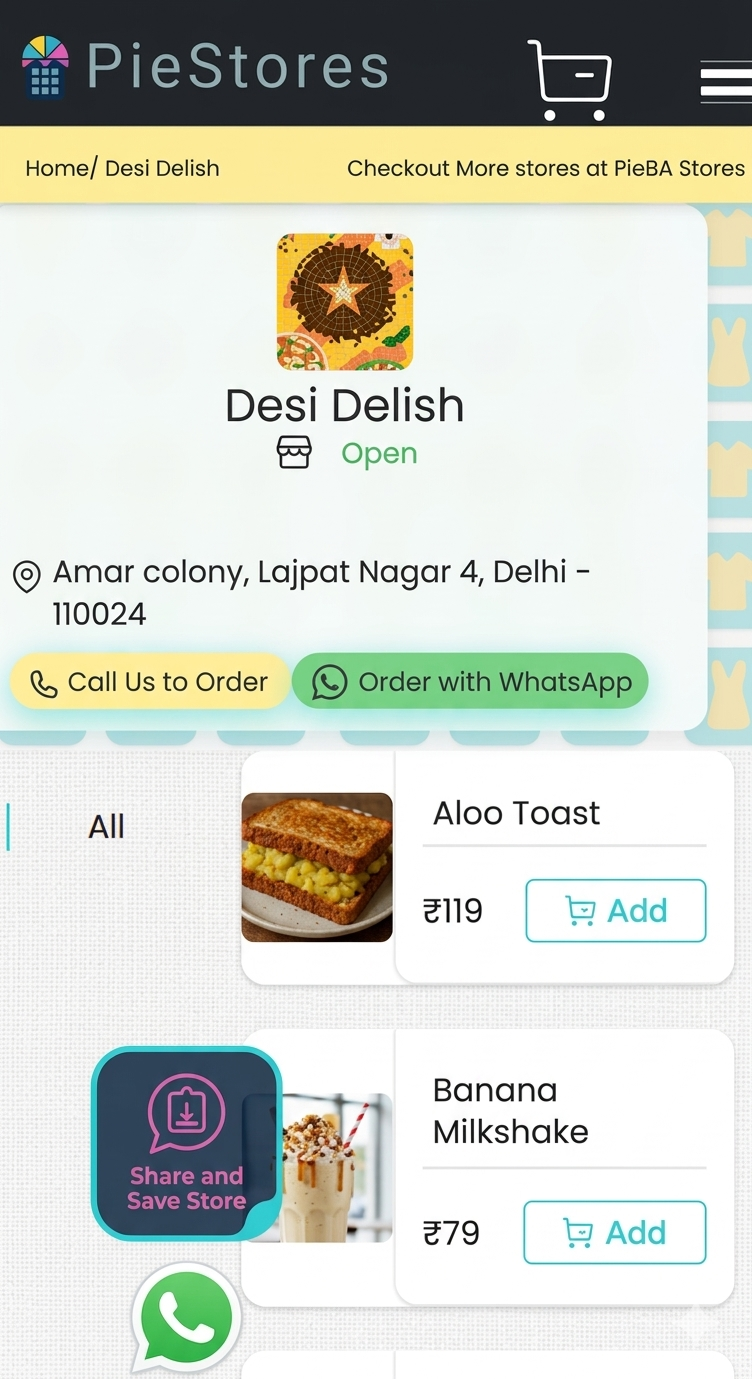
- Step 3 — Launch Your Free Listing or Done-For-You Storefront: Start on PieBA’s ₹0 Listing tier or let our onboarding team build your full mobile-first storefront, categories, and cart checkout in 72 hours (no coding or website needed).
- Step 4 — Set Up 0% Fee Payments (Direct UPI + COD): Connect your GPay/PhonePe/Paytm UPI ID and allow Cash on Delivery so local buyers check out in seconds without payment gateway fees.
- Step 5 — Drive Daily Free Orders: Put your storefront link in your WhatsApp Business automated greeting, weekly WhatsApp Status updates, Instagram bio, and a printed QR standee on your billing counter.
Free Starter vs. Growth Done-For-You Plan
Start free at ₹0/month to get your shop listed on PieBA Stores & Pinsell. Whenever you want a full Google-ranked digital storefront, QR code, and done-for-you inventory upload, upgrade to our Growth plan (₹1,499/mo) with 0% sales commission forever.