Quick Answer: How Do You Build a WhatsApp Subscriber List for eCommerce?
Capture opt-in WhatsApp subscribers automatically at every shopping touchpoint: (1) route orders through a WhatsApp storefront checkout so every buyer saves your number, (2) place "Scan for Today's Offers" QR standees at your billing counter and inside delivery parcels, (3) run Click-to-WhatsApp Instagram/Google offers, and (4) tag buyers by category to send high-open-rate broadcast offers.
7 Proven Ways Indian Stores Grow a WhatsApp Subscriber List
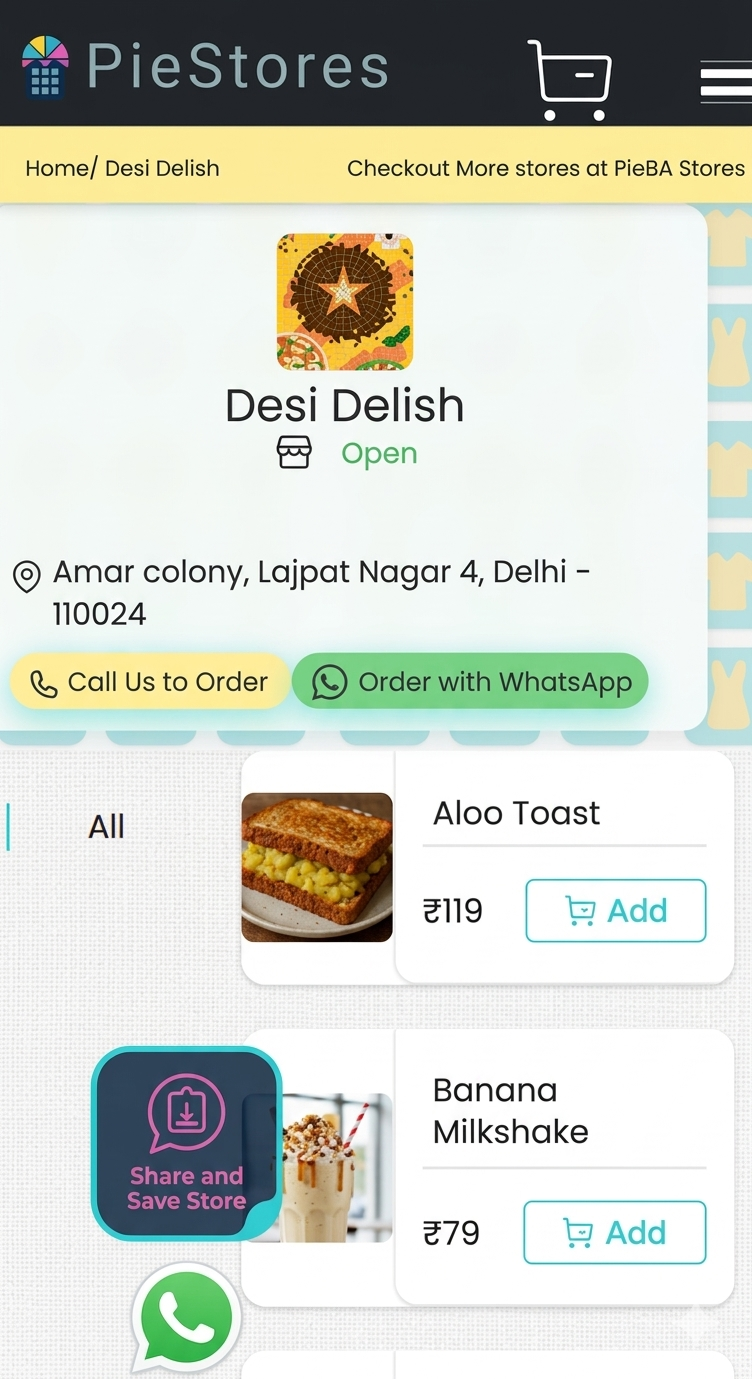
- Convert Every Checkout Into a Subscriber: Unlike marketplaces (Swiggy, Amazon, Flipkart) that hide customer phone numbers, a PieBA WhatsApp Storefront sends every order directly to your WhatsApp—giving you 100% customer data ownership from day one.
- Billing Counter & Packaging QR Codes: Add a QR code saying "Scan to Order on WhatsApp & Get ₹50 Off Your Next Order" on takeaway bags, medicine pouches, cake boxes, and receipts.
- 1-Tap Catalog Opt-In Links: Put your PieBA catalog link in your Instagram bio, Google Business Profile, and Facebook page with a pre-filled opt-in message.
- Festive & Restock VIP Lists: Invite walk-in shoppers to join your WhatsApp VIP list for Diwali hampers, fresh cake drops, or monthly medicine refill reminders.
- Click-to-WhatsApp Local Ads: Send local Meta ad clicks directly into a WhatsApp conversation instead of a slow landing page—cutting lead cost by 40%–60%.
- Segment With WhatsApp Labels: Tag subscribers as New Lead, Repeat Buyer, or by category (e.g., Eggless Cakes, Monthly Meds, Wholesale) so broadcasts stay relevant and never feel spammy.
- Automate Repeat-Order Broadcasts: Pair your catalog with PieBA’s Pro Plan WhatsApp Bulk Setup to launch weekend specials and new arrivals with a direct 1-tap order link.